Tally alternative
A Tally alternative that works the way Tally users already work
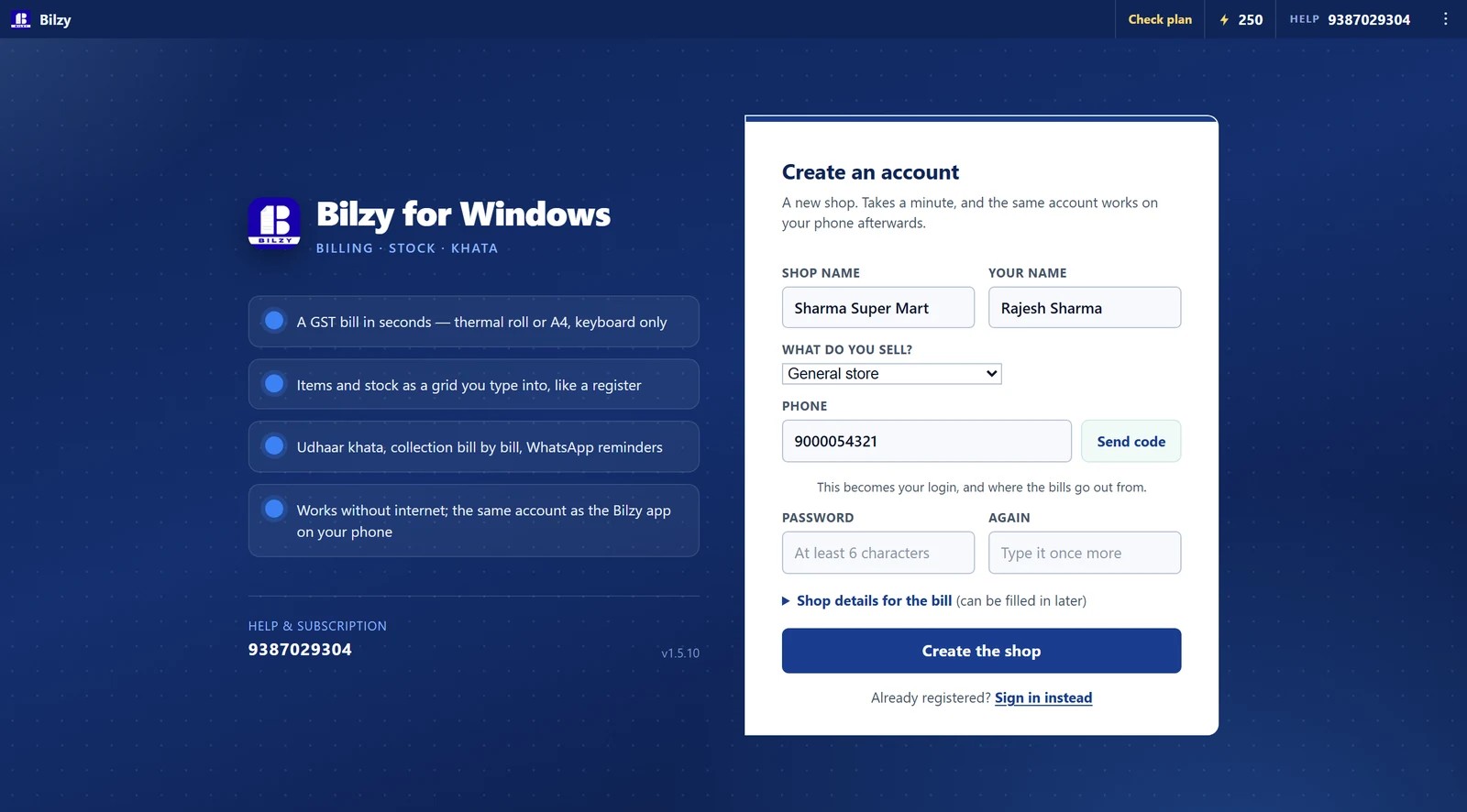
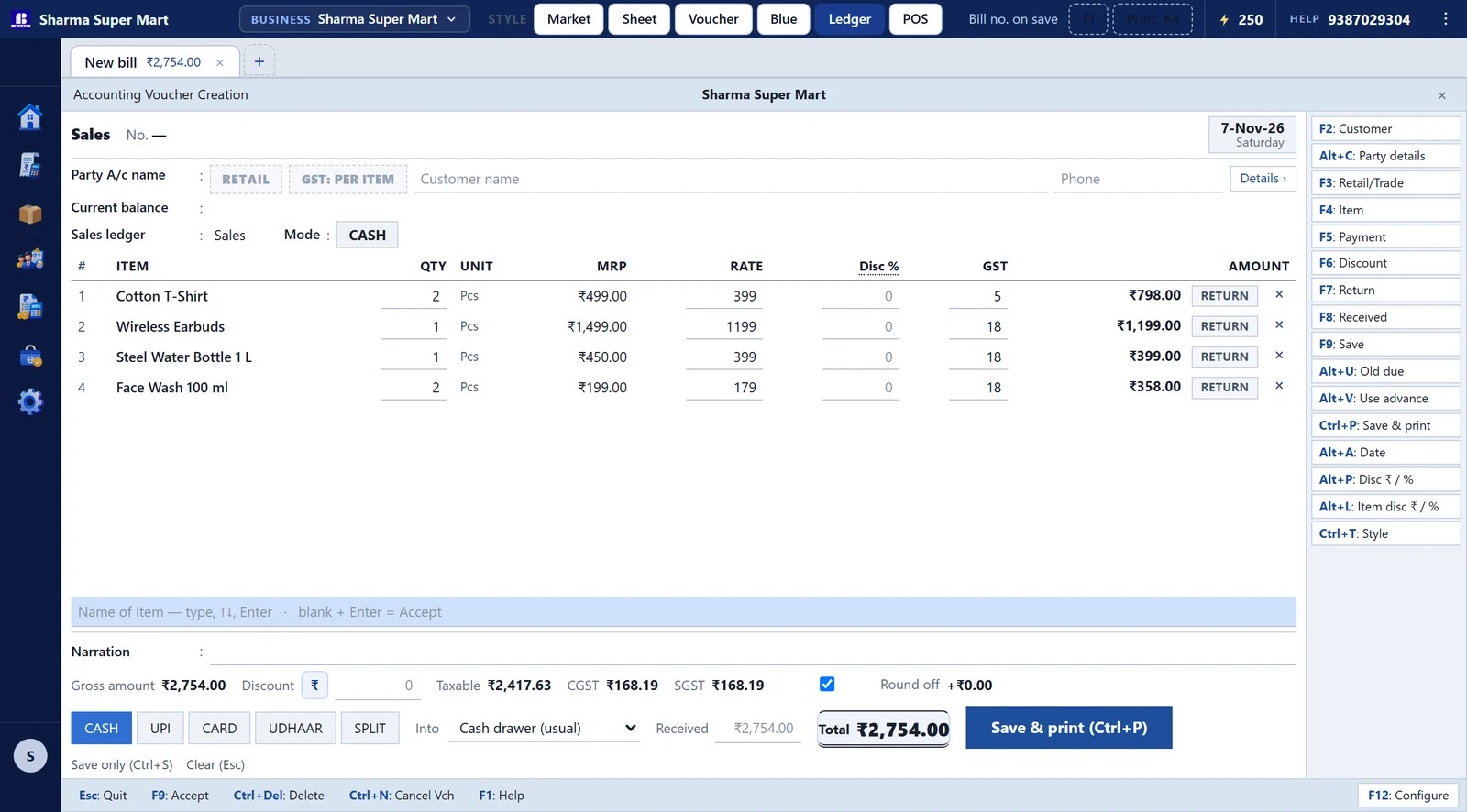
Bilzy is a Tally alternative with a Tally-style look built in. Press Ctrl+Alt+T and the screen becomes a Gateway with Masters, Vouchers, Day Book, Balance Sheet and Profit & Loss; F8 is a sale, F9 a purchase, F6 a receipt, F5 a payment, Ctrl+A accepts and Esc goes back. Underneath it is the same Bilzy — GST billing in seconds, stock, udhaar, a phone app on the same account and a free online store — for ₹999 a year, with a free plan.
It is for the shop that wants Tally's keyboard and Tally's books without Tally's setup. One login keeps up to three businesses, each with its own GSTIN and bill series, and the same keys switch back to the simple Bilzy look whenever you like — each computer keeps its own choice.
Free plan, no card. ₹999 a year for everything.
Bilzy at a glance
- Price
- ₹999 a year, or ₹99 a month
- Free plan
- Yes — bill, stock and reports, no card
- Runs on
- Windows PC and Android
- Works offline
- Yes — bills save and sync later
- GST
- Inclusive, exclusive and non-GST items
- Businesses on Bilzy
- 2000+
The keys you already know
The look is a whole application, not a skin: the menus, the vouchers and the reports are laid out the way a Tally user expects, and the keys do what they expect.
- Gateway of Bilzy — Masters, Transactions, Utilities and Reports, with the underlined letter as the key
- F8 Sales, F9 Purchase, F6 Receipt, F5 Payment, F4 Contra, F7 Journal, Ctrl+F8 Credit Note, Ctrl+F9 Debit Note
- Alt+C creates a ledger or a stock item from inside a voucher; Ctrl+A accepts; Esc goes back
- F2 changes the date or period, F3 the company, F11 the features, F12 the configuration
- Lists open down the right; type to narrow, Enter to choose — the whole voucher on the keyboard
Books, not just bills
Every sale, purchase, receipt and payment posts to the ledgers by itself, so the books are there without a single journal entry.
- Day Book, Ledger Vouchers (a party's statement), Cash and Bank books
- Trial Balance, Balance Sheet and Profit & Loss, with a detailed view
- Outstanding receivables and payables, bill by bill, with ageing
- Stock Summary, Sales and Purchase registers, Ratio Analysis
- GSTR-1 and GSTR-3B from the bills themselves
- The bill prints as a TAX INVOICE in the layout Tally users know; F12 picks a Bilzy design instead
What a counter needs that a ledger does not
- Barcode billing and a keyboard-only counter
- A phone app on the same account — the stock is moved by the server, so the two never disagree
- Bills save with the internet down and go up when it is back
- Udhaar reminders on WhatsApp with the figure already written
- Staff logins that see the counter and not the profit
- A free online store on bilzy.in that takes orders into the same stock
Up to three businesses on one login
A shop and its wholesale firm, or two shops — each business keeps its own GSTIN, bill series, stock, parties and books, and F3 moves between them. One business is ₹999 a year; two are double less ₹100 a year; three are triple less ₹150 a year.
Where Tally is still the right tool
It would be dishonest to pretend otherwise. If your CA keeps your books inside Tally, if you file TDS or run statutory payroll, or if you need more than three companies or branches sharing one stock, Tally is built for that. Plenty of shops bill in Bilzy and hand the accountant the Excel.
What it looks like
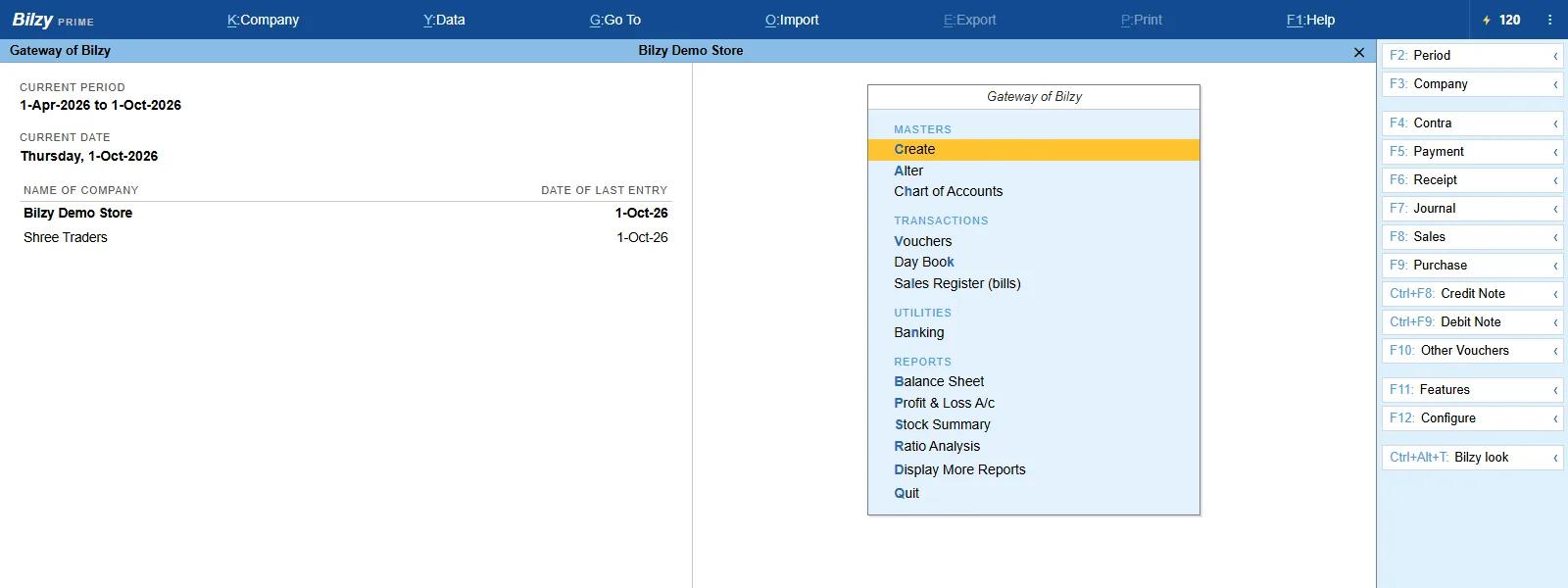
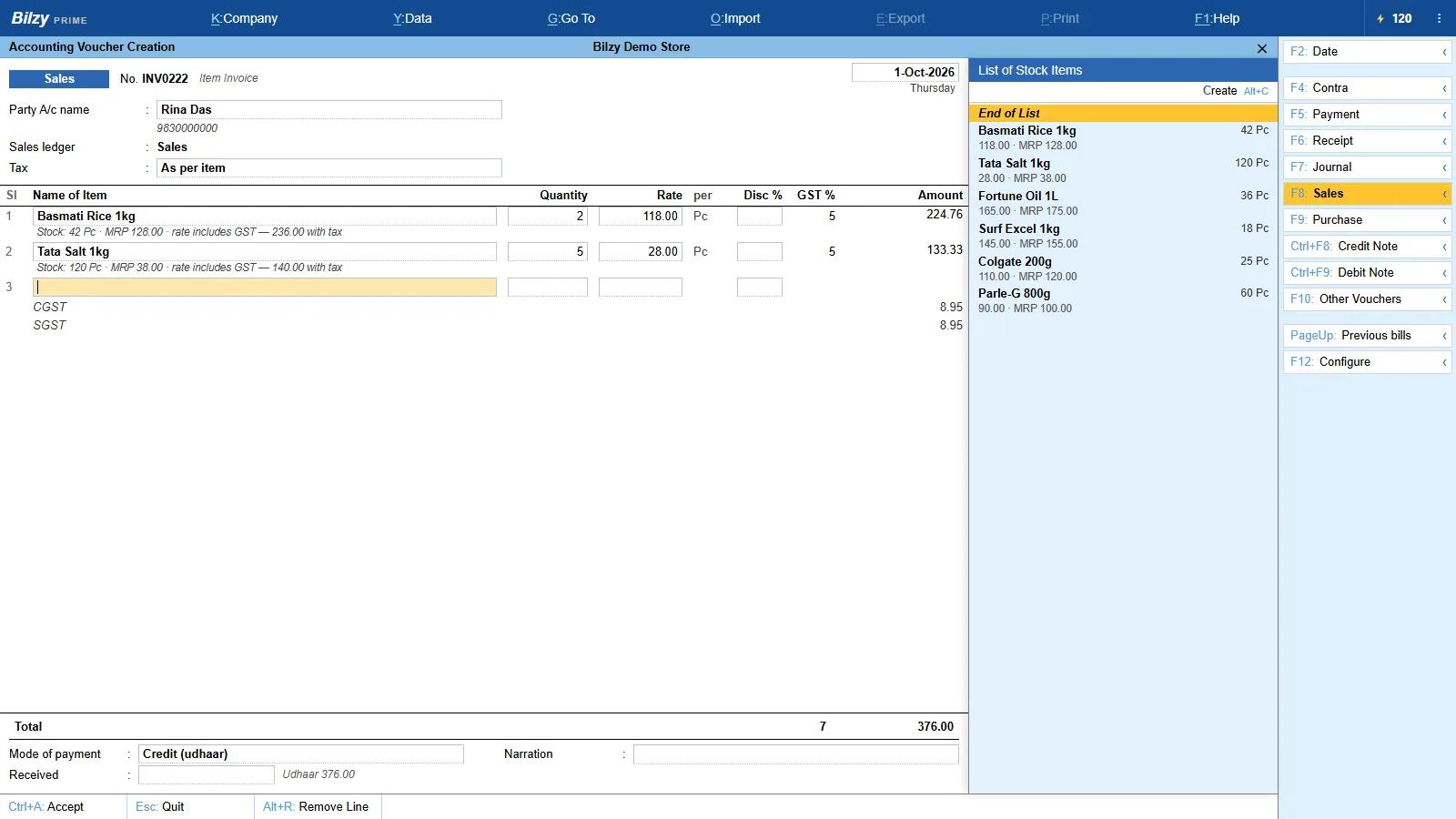
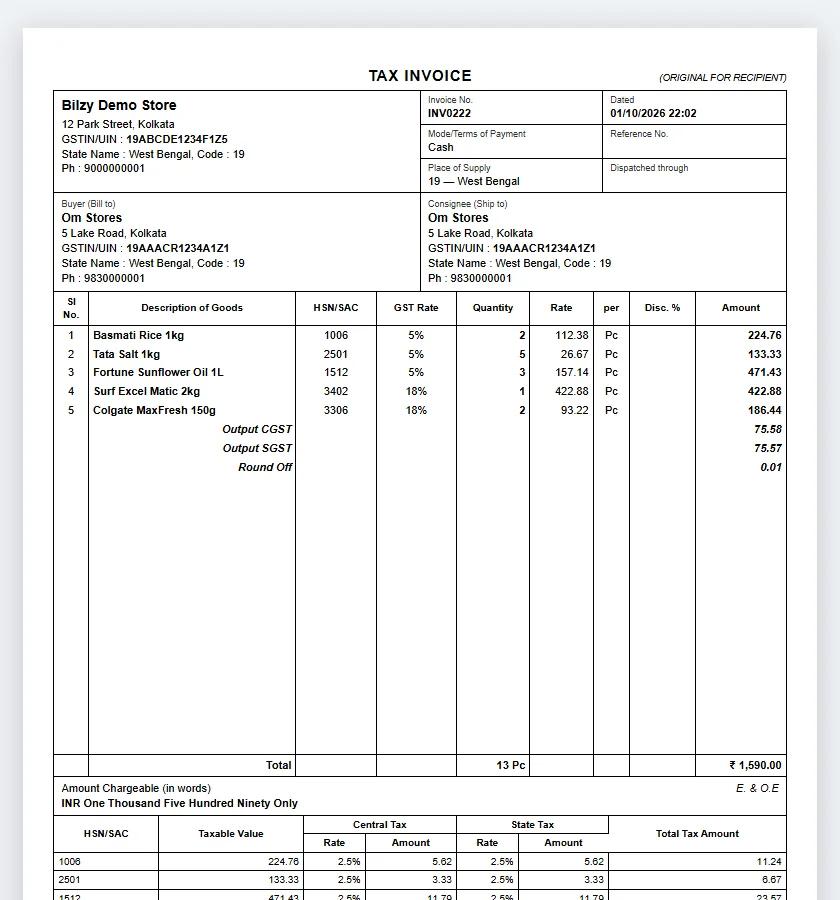
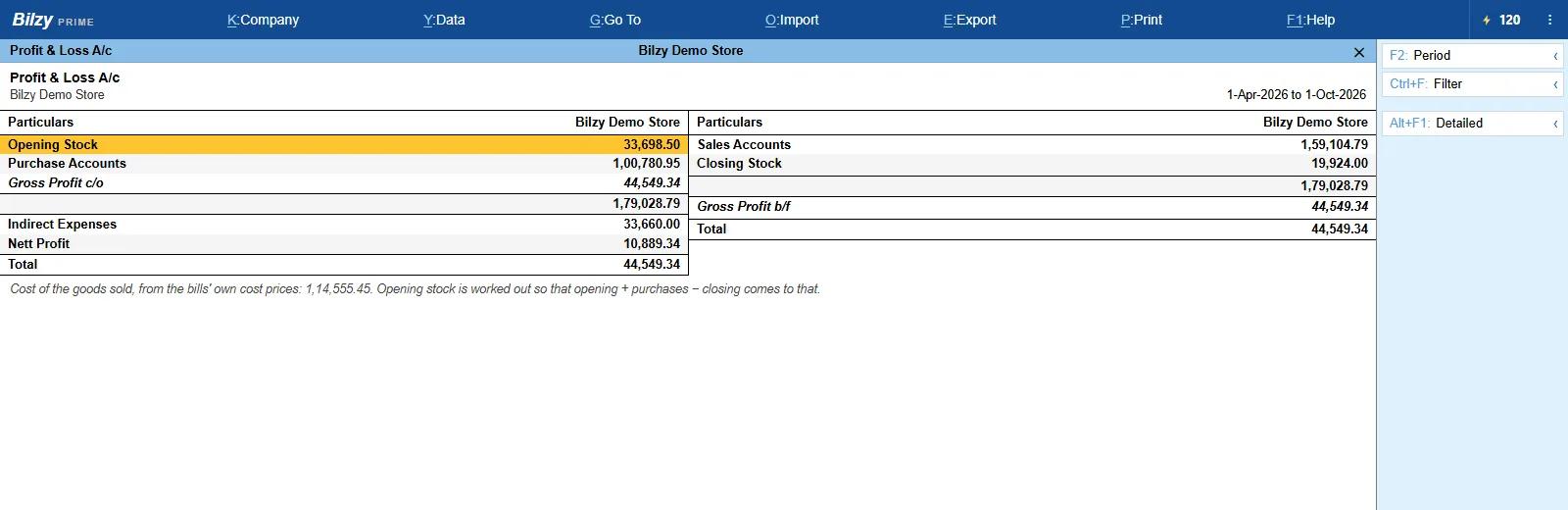
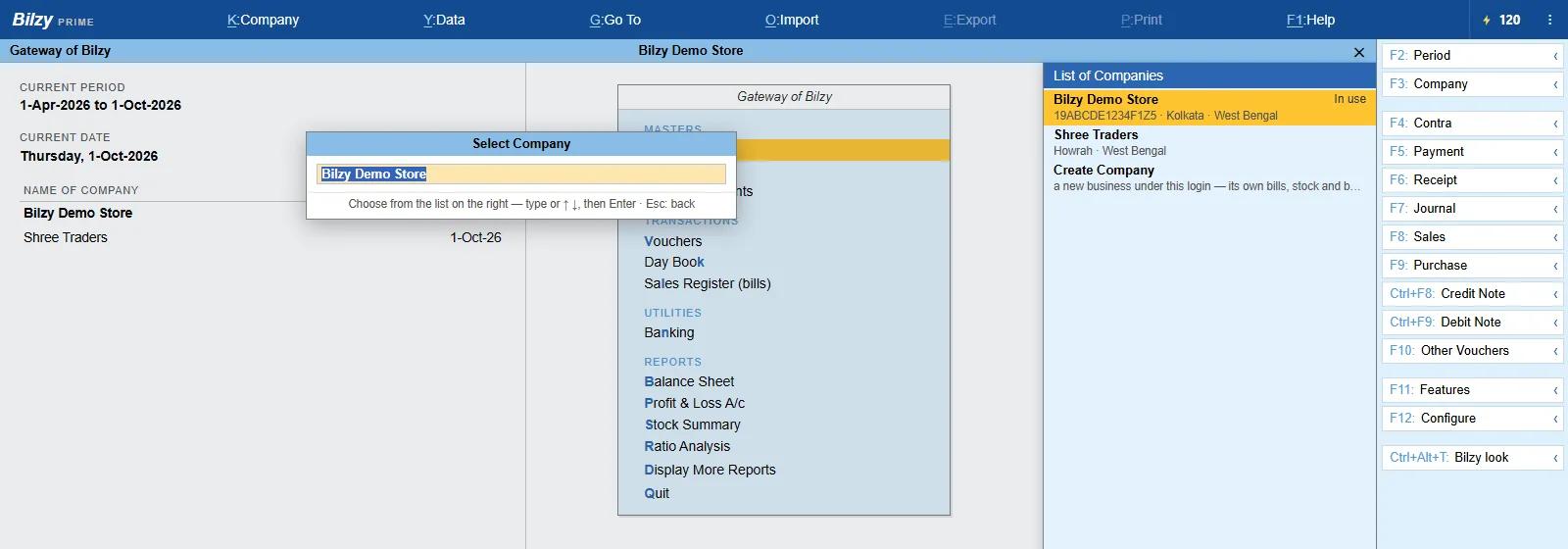
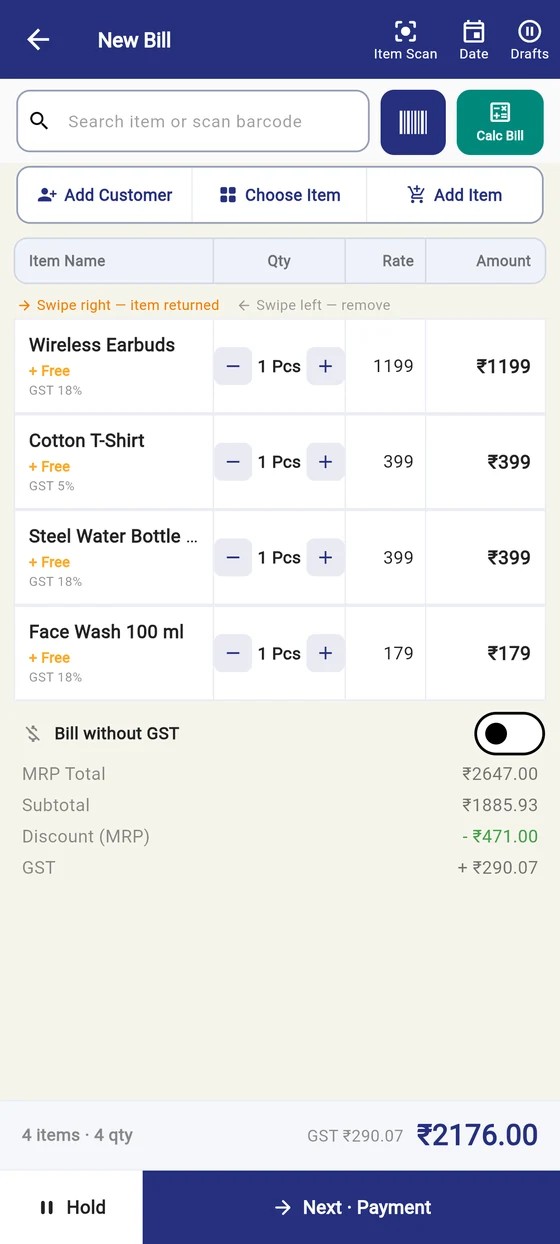
Bilzy and Tally, side by side
| Feature | Bilzy | Tally |
|---|---|---|
| Looks like | Its own simple look, and a Tally-style look on Ctrl+Alt+T | Tally |
| Time to the first bill | Minutes | Setup, usually with help |
| Made for | The counter, with the books behind it | The accountant |
| Keyboard vouchers (F8, F9, Ctrl+A, Esc) | Yes | Yes |
| Day Book, Trial Balance, Balance Sheet, P&L | Yes | Yes |
| GSTR-1 / GSTR-3B | From the bills | Yes |
| Billing on an Android phone | Yes, same account | Desktop software |
| Works offline | Yes | Yes |
| Online store | Free with the account | Not part of it |
| Companies | Up to three on one login | Many |
| Price | ₹999/year, free plan | Licence or rental — see tallysolutions.com |
Tally and TallyPrime are trademarks of Tally Solutions Pvt. Ltd. Bilzy is not affiliated with or endorsed by Tally Solutions; its Tally-style look is Bilzy's own screens, keys and reports, made to feel familiar. Details about Tally are general and may change — check tallysolutions.com.
Everything on the one plan
- GST invoices with HSN, and the rate looked up from the GST schedule
- Barcode billing, and a keyboard-only counter for a shop that never touches the mouse
- Stock that moves on the server, so a phone and a PC never disagree about what is left
- Batches, expiry, variants and serial numbers — switched on only where a shop needs them
- Sell loose out of a pack: three pieces out of a box of thirty, priced and stocked correctly
- Udhaar: a running account per party, bill-wise collection, and a statement to send
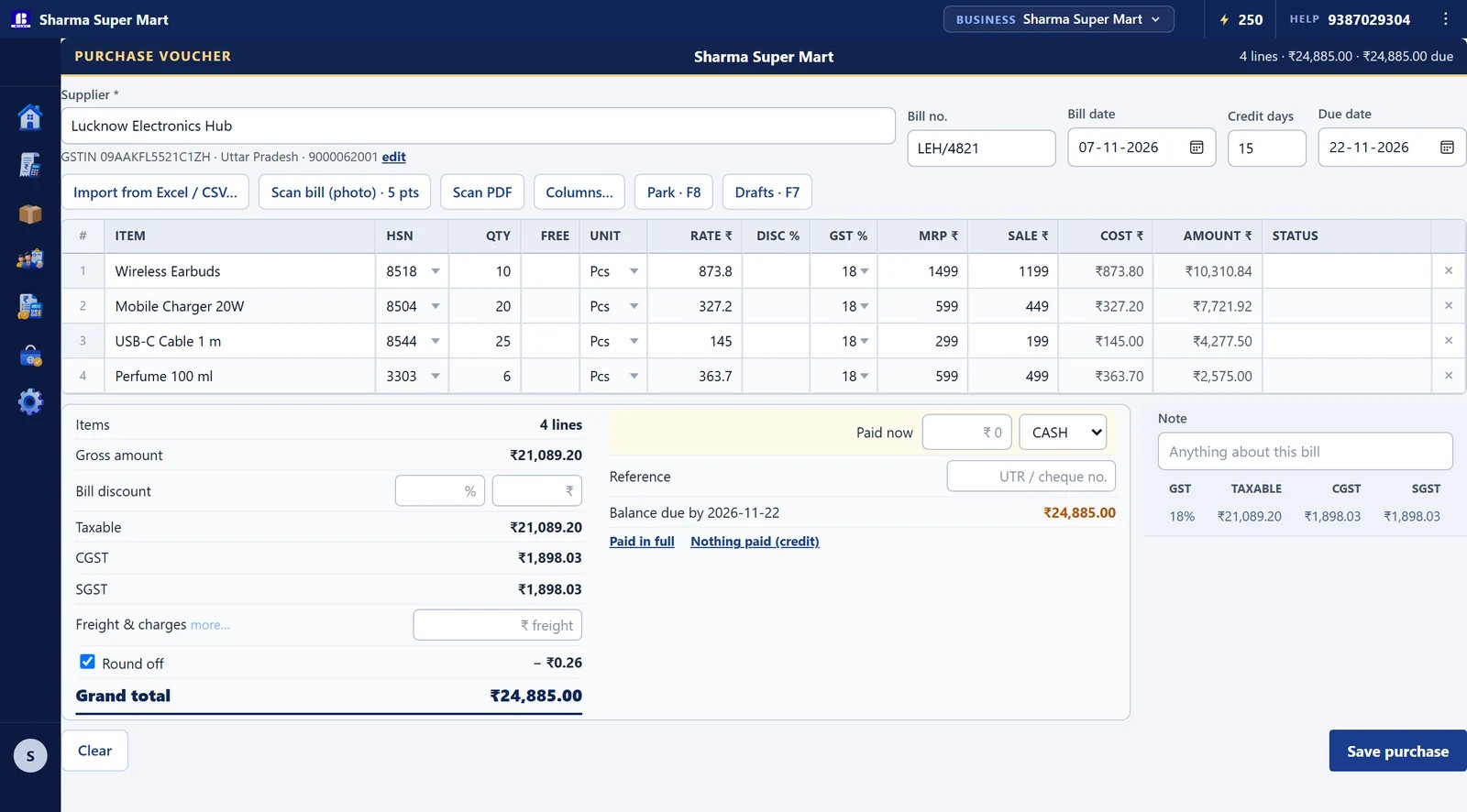
- Purchase entry with the supplier bill, and what you owe kept against his name
- Reports and GSTR figures, and every screen exports to Excel or PDF
- Delivery challan, quotations and sale orders that become bills
- Staff logins with roles, so the counter sees the counter and not the profit
- A free online store on bilzy.in your customers can order from
- A Tally-style look one key away (Ctrl+Alt+T): Gateway, F8 Sales, F9 Purchase, Day Book, Balance Sheet, P&L — on the same items and books
- Up to three businesses on one login, each with its own GSTIN, bill series, stock and books
What it costs
Free to start, and a real free plan — billing, stock and reports without a card. The paid plan is ₹999 a year (or ₹99 a month) and has every feature on it. No per-invoice charge, no AMC, and nothing kept back for a higher tier.
Questions
Is Bilzy made by Tally?
No. Bilzy is its own software, made in India for shops. Its Tally-style look borrows the way Tally users work — the Gateway, the F-keys, the vouchers — so a shop that knows Tally is at home on the first day.
Does Bilzy have the same shortcut keys as Tally?
The everyday ones: F8 Sales, F9 Purchase, F6 Receipt, F5 Payment, F4 Contra, F7 Journal, Ctrl+F8 and Ctrl+F9 notes, Alt+C to create, Ctrl+A to accept, Esc to go back, F2 for the date, F3 for the company, F11 and F12 for features and configuration.
How do I switch between the Tally look and the normal look?
Ctrl+Alt+T, from anywhere — or Settings → Theme & look. The choice is kept on each computer, so the accountant's PC can stay in the Tally look while the counter keeps the simple one.
Can I move my data from Tally?
Items, customers and suppliers can be brought in from an Excel sheet, matched column by column. Old bills are usually left where they are — they are already filed — and Bilzy starts from the day you switch.
Will my accountant accept this?
They get the same figures they get from anywhere: Day Book, ledgers, Trial Balance, rate-wise GST, party statements, purchase and sale registers — on screen, or as Excel.
Is Bilzy really free?
There is a free plan and it is a real one — you can bill, keep stock and read reports on it without a card. The paid plan is ₹999 a year, or ₹99 a month, and unlocks the rest.
Does it work without internet?
Yes. Bills are made and saved on the machine and go up when the connection comes back. A shop in a market with a bad signal is not a shop that stops billing.
Can I use it on the phone and the computer together?
Yes, on the same account. Items, parties and bills are the same on both, and the stock is moved by the server so the two cannot drift apart.
Will it work on my old computer?
It runs on Windows 10 and 11, 64-bit, and the installer is about 4 MB. It does not need a powerful machine.
Can my staff use it without seeing my profit?
Yes. A staff login is given the screens you choose. Profit and purchase cost are their own permission, so the counter can bill all day and never see what an item cost you.
Billing guides for your kind of shop
How to make the bill, the GST that applies and a checklist — one guide for each trade.
- Kirana store billing guide →
- Supermarket billing guide →
- Clothing store billing guide →
- Boutique & saree shop billing guide →
- Footwear shop billing guide →
- Mobile phone shop billing guide →
- Electronics & appliances shop billing guide →
- Jewellery shop billing guide →
- Hardware & paint shop billing guide →
- Building materials billing guide →
- Stationery & book shop billing guide →
- Cosmetics & beauty store billing guide →
- Bakery & sweet shop billing guide →
- Restaurant & cafe billing guide →
- Dairy, fruit & vegetable shop billing guide →
- Wholesaler & distributor billing guide →
- Auto parts shop billing guide →
- Furniture shop billing guide →
- Fertiliser, seed & pesticide shop billing guide →
Related
Start billing today
2000+ businesses trust Bilzy. Install it, put in ten items, and make a bill — you will know inside an hour whether it suits your counter.
Or call 9387029304