 Bilzy Restaurant
Restaurant billing, from table to bill in one tap.
Table orders, KOT and billing on phone, tablet and PC.
3 days free · then from ₹599 a year + GST
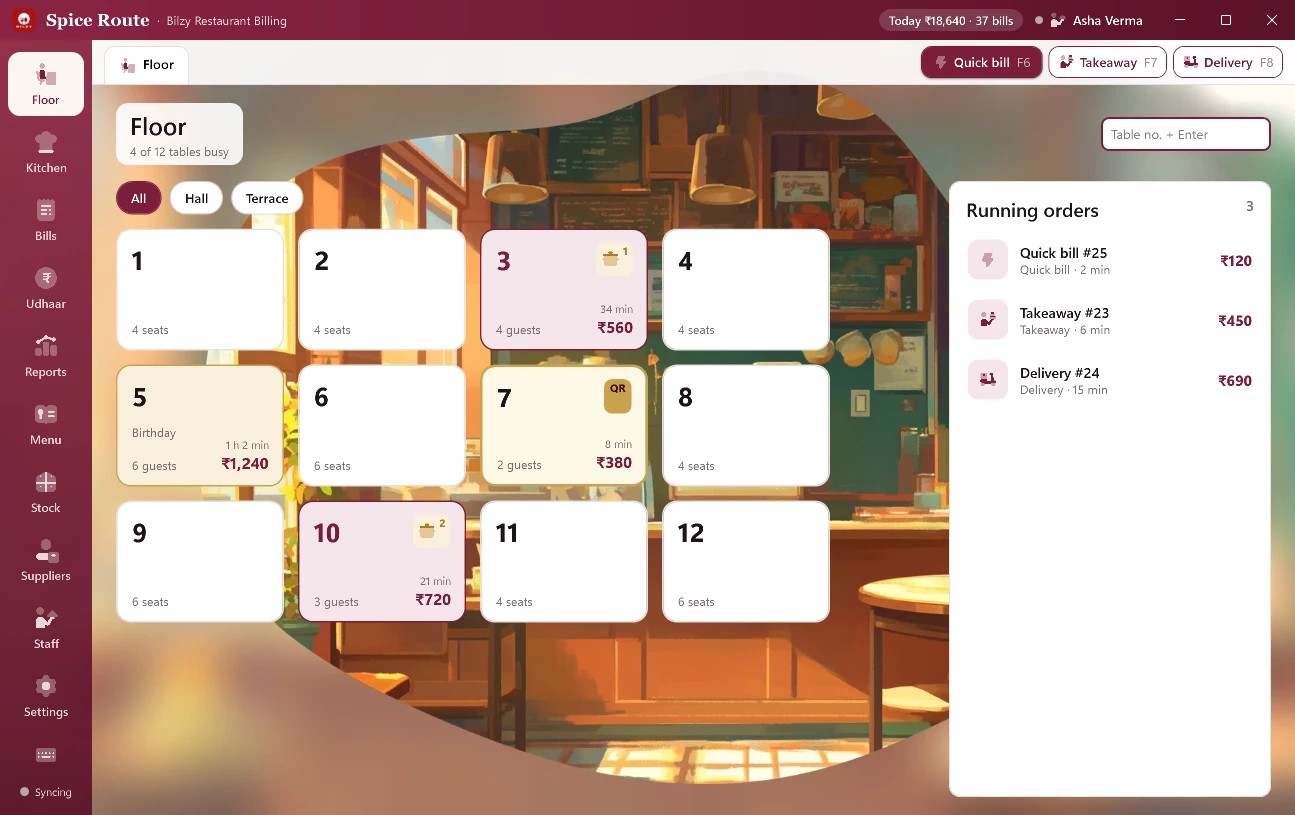
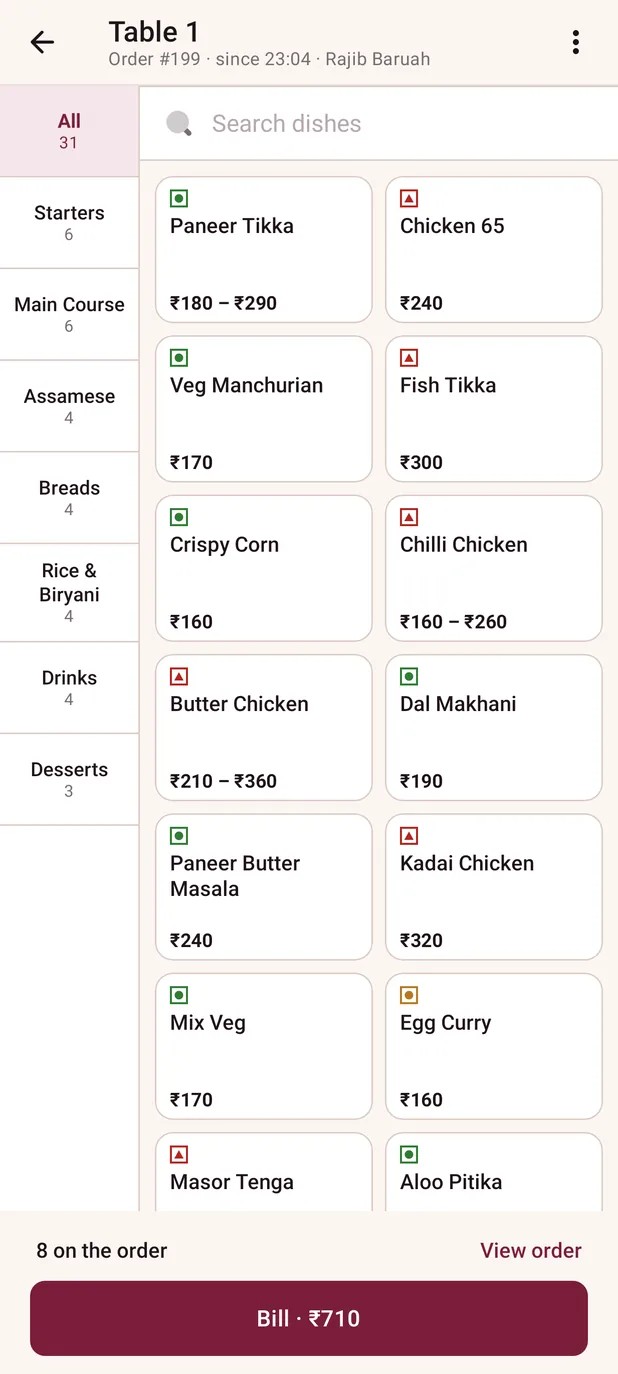
Everything a restaurant runs on.
Tables & KOT
Orders go straight to the kitchen
QR menu
Guests order from the table
GST bills
Cash, UPI, card, split or udhaar
Stock by recipe
Every bill takes it off the stock
Kitchen screen
Any tablet: Start, then Ready
Any receipt printer
USB or network
Reports
GSTR-1 and GSTR-3B files
Waiter logins
Waiters on phones, bills at the PC
Simple pricing.
3-day free trial of everything, on the phone and Windows. No card.
Phone app
Android phones and tablets
- Tables, KOTs and bills
- Waiter and kitchen logins
- Menu with photos, table QR menu
- Stock by recipe, udhaar, GST reports
- Prints on any receipt printer
On Google Play soon
Windows desktop
The counter PC
- Keyboard-fast billing, dish cards with photos
- Tables, KOTs, kitchen screen
- Reports, GSTR-1 and GSTR-3B files
- Thermal, kitchen dot-matrix or A4 printer
- Menu, recipes and stock
Phone + Desktop
Both, one account
₹299 less than the two apart
- Everything in both apps
- Waiters on phones, billing at the PC
- Every phone, tablet and PC on one account
- Upgrade any time: unused days carry over
Bought or upgraded inside either app
Prices are before GST. 18% GST is added when you pay, on a GST invoice.
Start in 3 steps.
Your account, your menu, your first bill.
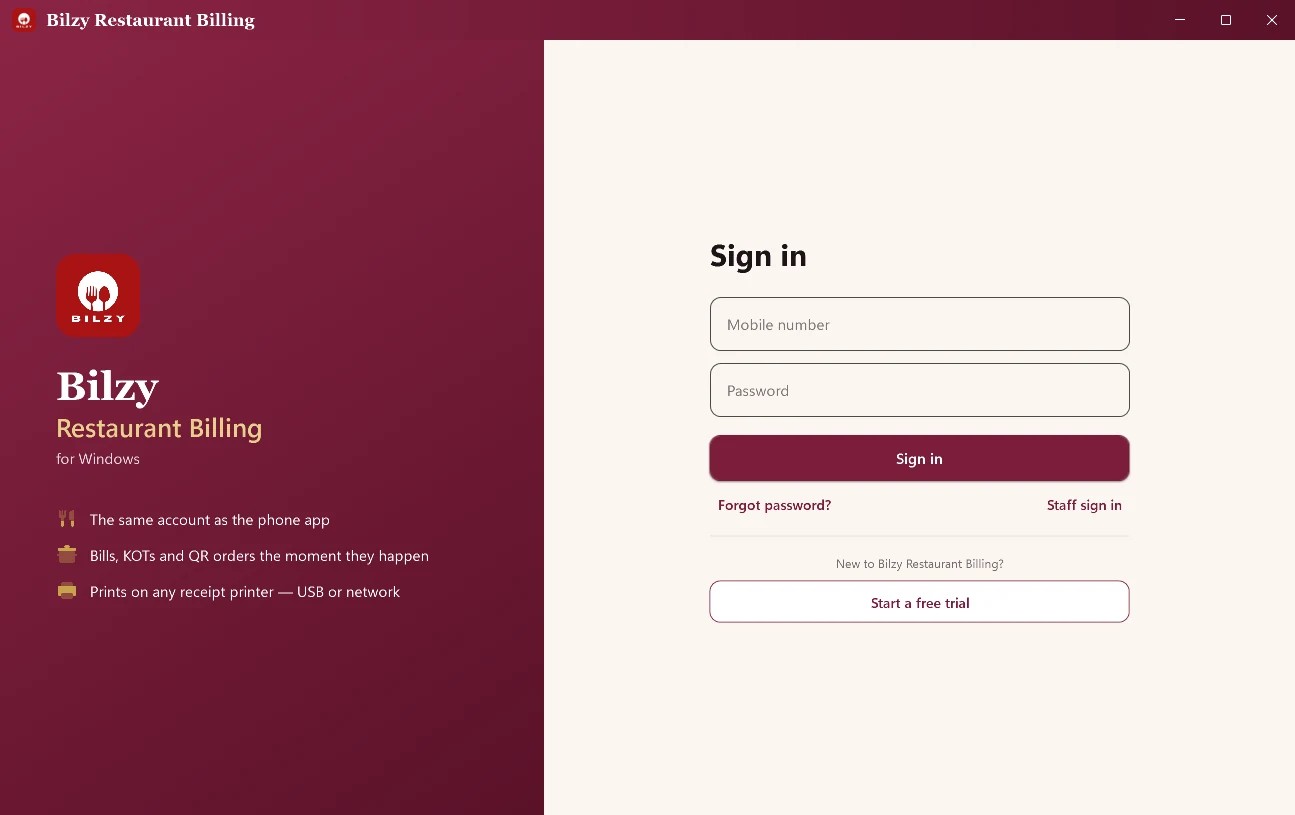
Create your account
3 days free, everything open.
- Install Bilzy Restaurant.
- Enter your mobile number and the code we send.
- Add your name, your restaurant’s name and a password.
- On Windows
- Start a free trial
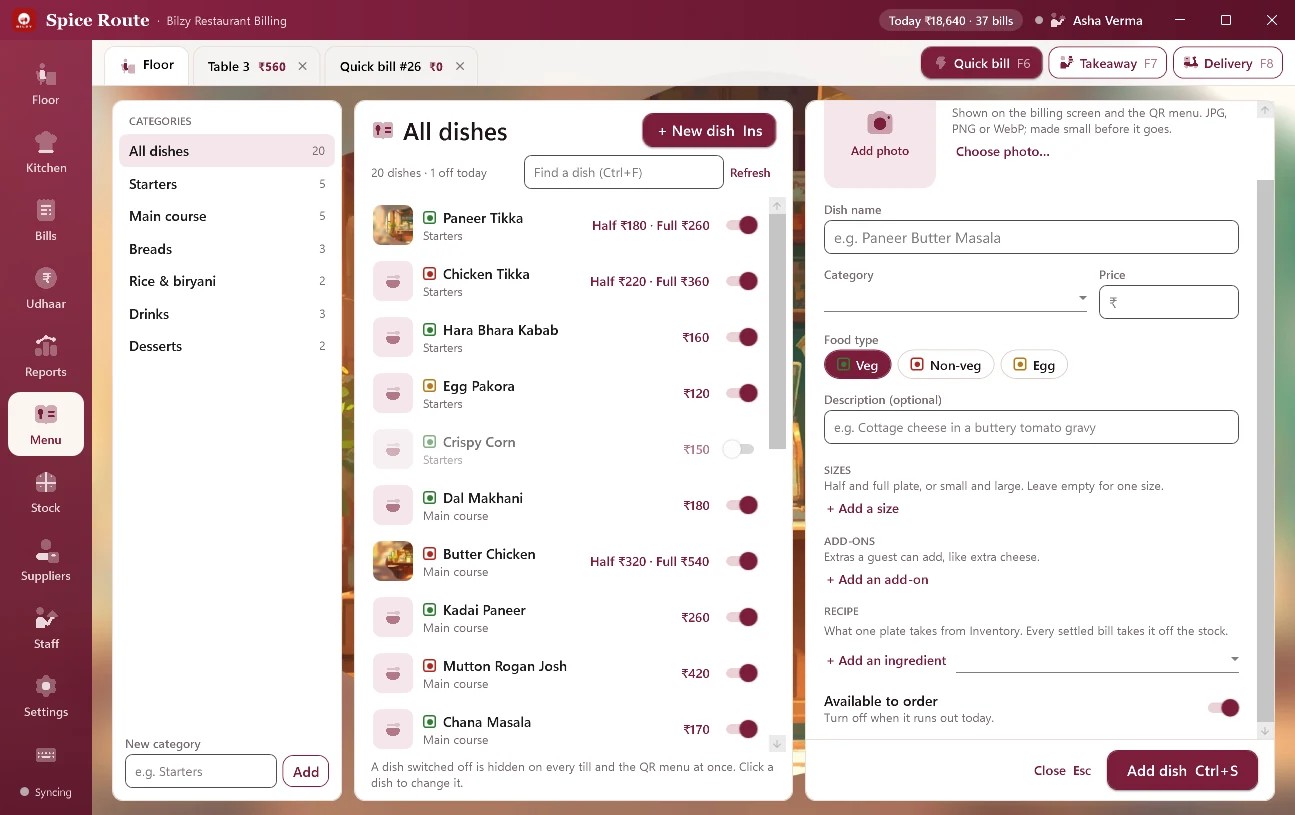
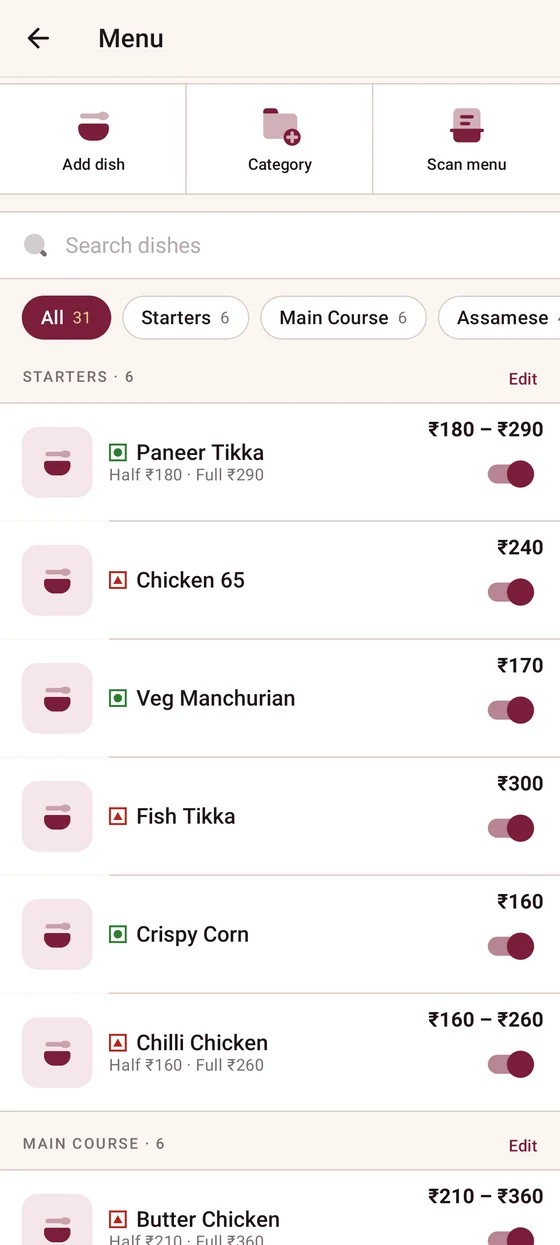
Add your menu
Dishes, prices and sizes. Photos if you like.
- Open Menu.
- Press New dish.
- Type the name, category and price, then add it. On the phone you can also scan your printed menu.
- On Windows
- Alt+M · Ins new dish · Ctrl+S add
- On the phone
- Menu → Add dish
Take an order and bill it
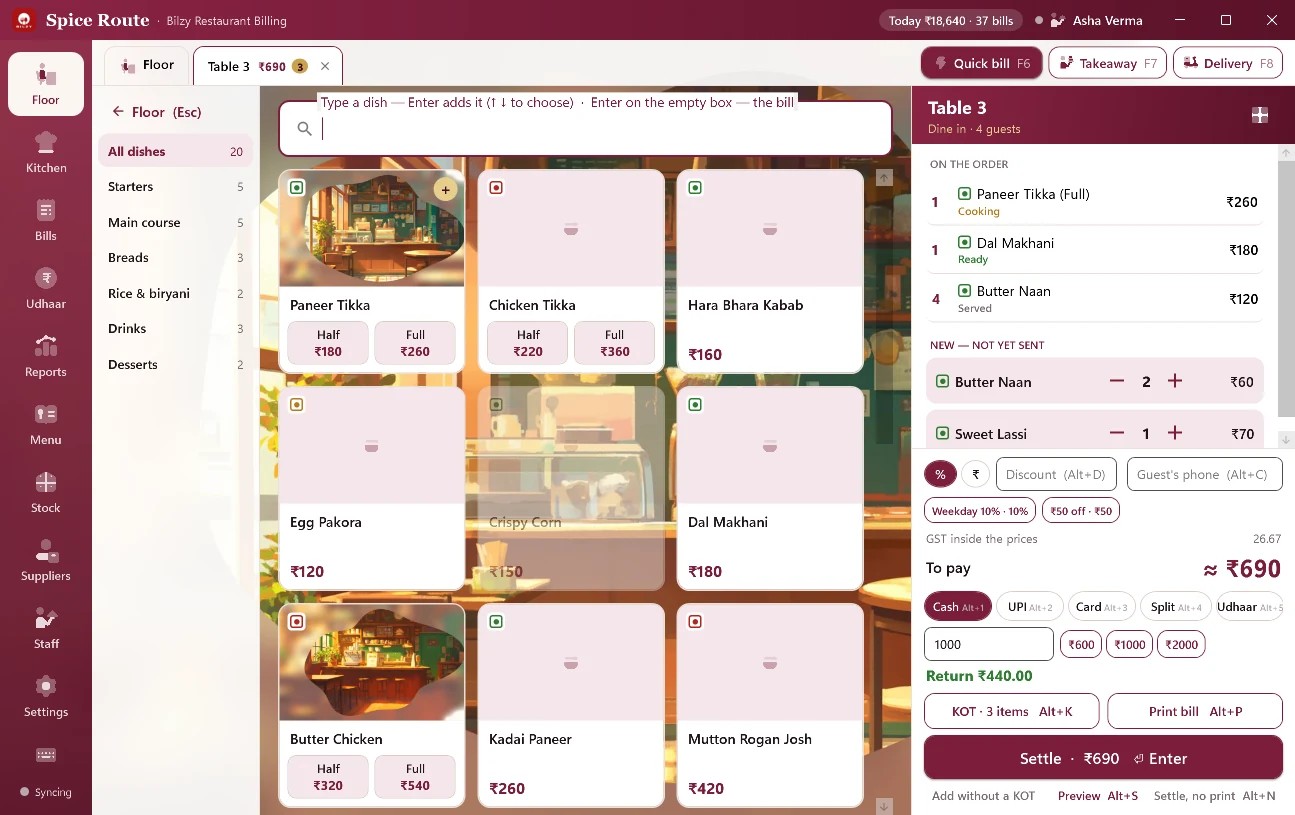
From the table, to the kitchen, to the bill.
- Pick a table, or start a quick bill.
- Type a dish and press Enter. Send the KOT to the kitchen.
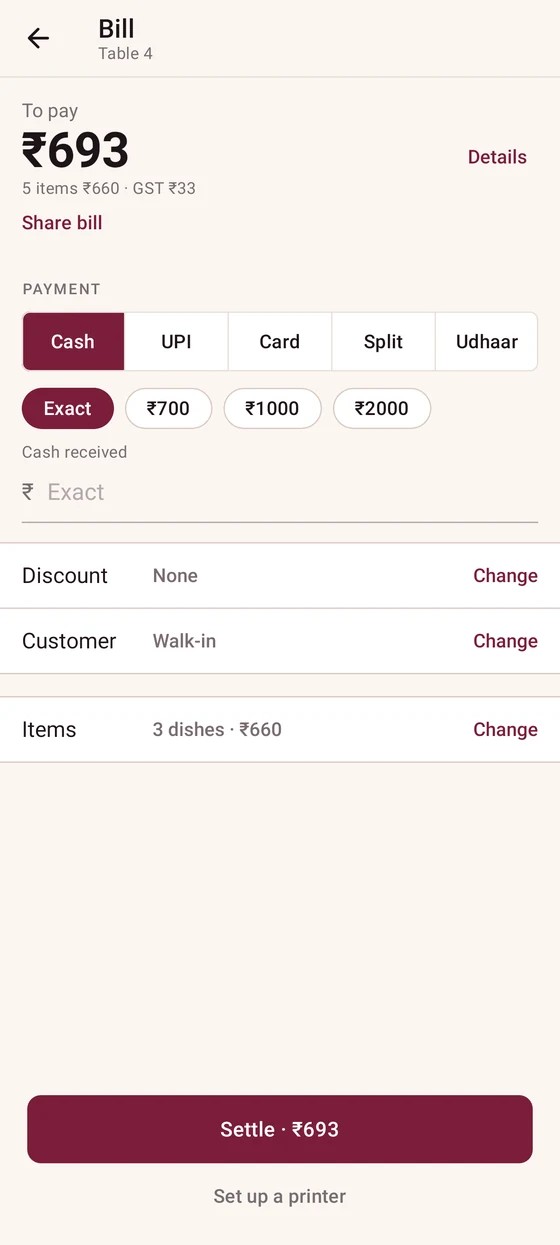
- Choose Cash, UPI, Card, Split or Udhaar, then Settle.
- On Windows
- F6 quick bill · Alt+K KOT · Enter settle
- On the phone
- Table → dishes → Bill → Settle

Get Bilzy Restaurant
3 days free · then from ₹599 a year + GST
Questions.
Is there a free trial?
Yes. 3 days free, everything open, no card.
Does it bill without internet?
On Windows, yes: a quick bill made with the line down is kept on the PC and sent when the line is back.
Which printers work?
Any receipt printer, USB or network, and a kitchen printer for KOTs.
Can my waiters use their own phones?
Yes. Give each one a login. Their orders reach the kitchen and the billing PC on the same account.
Can I start on the phone and add the PC later?
Yes. Upgrade to Phone + Desktop inside the app, and the days you have not used are carried over.