Bilzy for Windows
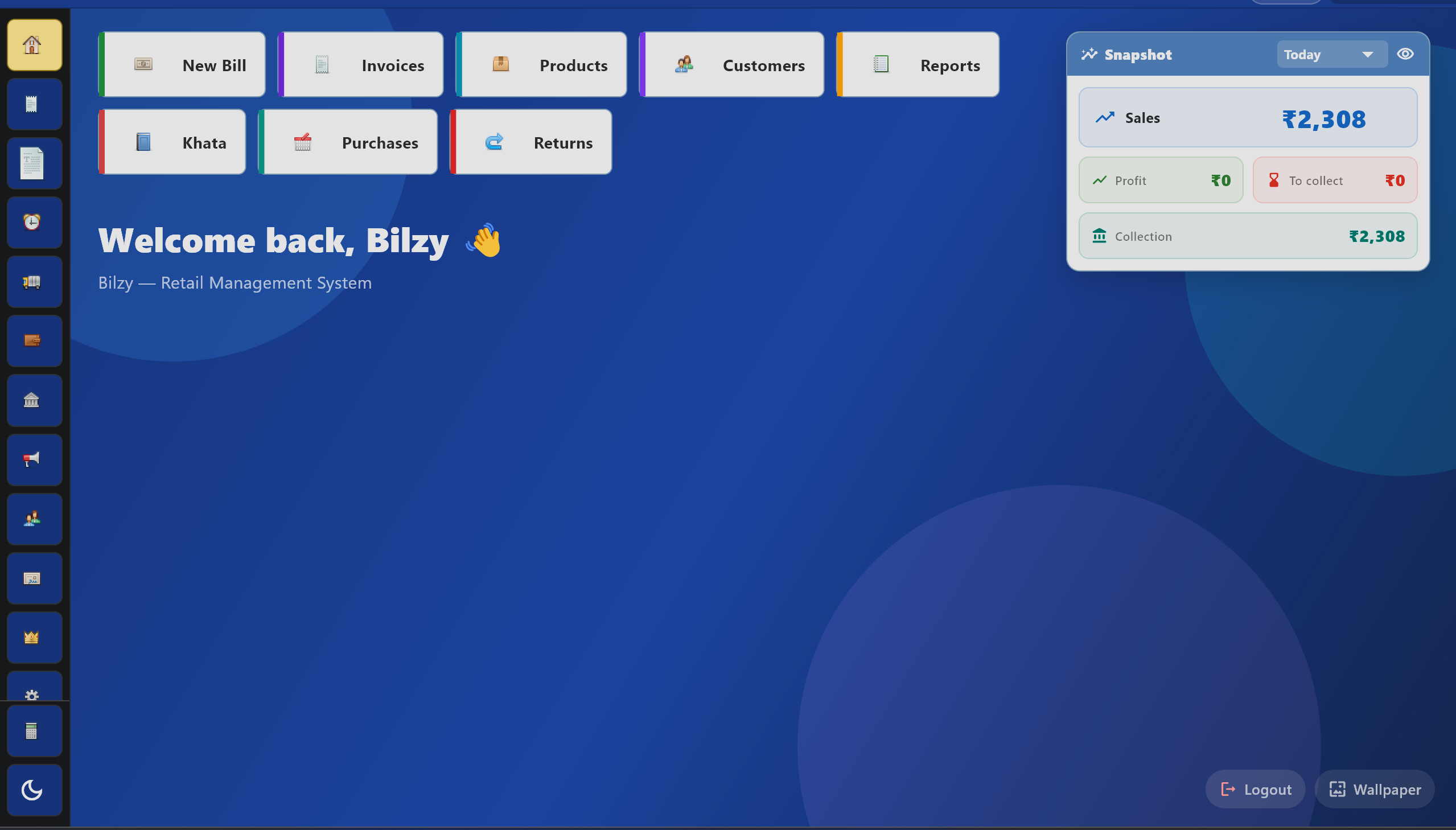
Free GST billing, inventory & POS software made for Indian shops. Works offline on Windows 10 & 11.
Version 1.4.75 · 64-bit · Windows 10 / 11
Windows may show a “SmartScreen” warning — that’s normal
Bilzy is a new app, so Windows hasn’t built reputation for it yet. This warning will go away as more people install. Bilzy is 100% safe — it’s the same app trusted by thousands of users on Play Store.
How to install (3 quick steps) ▾
- Run the downloaded
BilzyDesktop_1.4.75_x64-setup.exe - If you see “Windows protected your PC”, click More info
- Then click Run anyway — Bilzy will install in seconds
Download
Click the download button above. The 4.39 MB installer will save to your Downloads folder.
Run installer
Double-click BilzyDesktop_1.4.75_x64-setup.exe. If Windows shows SmartScreen, click "More info" → "Run anyway".
Sign in
Open Bilzy from your Start Menu. Sign in with the same account you use on the mobile app — your data syncs automatically.
System Requirements
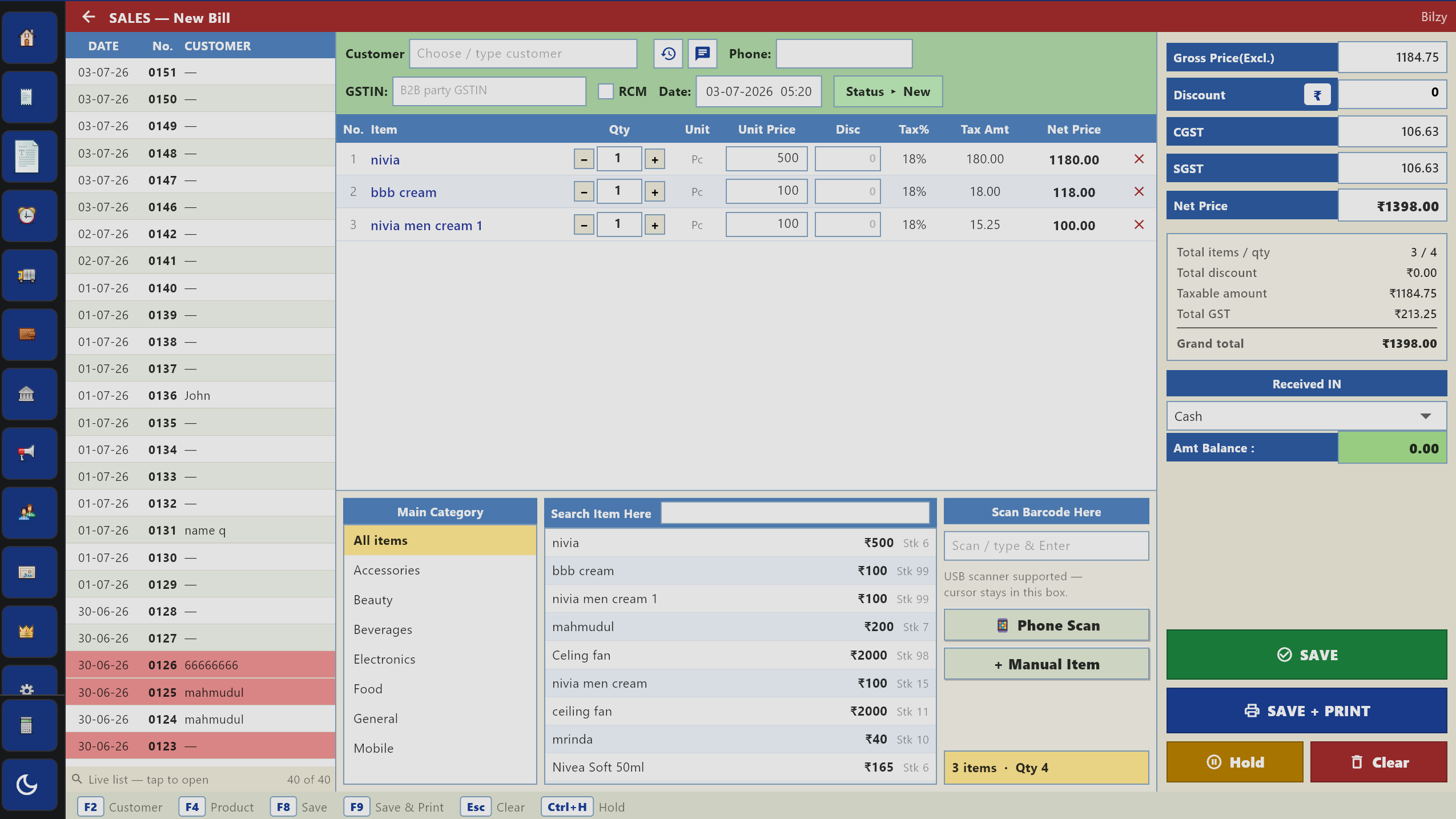
Everything you love — on a bigger screen
GST Billing
Make invoices fast with full keyboard support.
Inventory
Manage thousands of SKUs with ease.
Reports
Sales, P&L, GST reports exported to Excel.
A4 / Thermal Print
Print directly to any Windows printer.
Online Store
Manage your bilzy.in online store.
Auto Sync
Same data on phone & desktop, real-time.
Verify your download
For maximum security, you can verify the installer’s SHA-256 checksum after downloading.
In PowerShell: Get-FileHash BilzyDesktop_1.4.75_x64-setup.exe -Algorithm SHA256
Frequently Asked Questions
Is Bilzy for Windows free?▾
Yes — the desktop app is completely free, just like the mobile app. Premium features are unlocked with the same subscription you use on mobile.
Why does Windows show a SmartScreen warning?▾
Microsoft's SmartScreen flags new apps that haven't built download reputation yet. Bilzy is a brand new desktop release. Click "More info" → "Run anyway" to install. The warning will disappear automatically as more users install.
Will my mobile data sync to desktop?▾
Yes! Sign in with the same email/phone you use on your mobile app. All products, customers, invoices and reports are synced through your Bilzy account in real-time.
Does Bilzy work offline?▾
Yes — billing, inventory and reports work offline. Your data syncs automatically the next time you have internet.
How do I update Bilzy on Windows?▾
It updates itself. When a new version is out the app tells you what changed and installs it in place — nothing to uninstall and nothing to find on a website. If your PC cannot fetch it (an old machine with an out-of-date certificate store), the app offers a Download button that opens this page instead, and running the installer over the top keeps all your data.
Can I print to a regular Windows printer?▾
Yes — Bilzy desktop supports any printer installed on Windows (A4, A5, thermal). Bluetooth thermal printers are mobile-only.
How do I uninstall Bilzy?▾
Open Windows Settings → Apps → Installed apps → find "Bilzy" → click Uninstall. Or use the Uninstaller in your Start Menu.
Looking for the mobile app? Get it on Google Play →