Shop billing guide
Hinglish me padho →Supermarket Billing Software: Fast Checkout on Every Counter, One Stock Behind Them
Three counters, a weekend rush and a buy-ten-get-one offer — without a single item sold twice.
- Free plan to start
- Works without internet
- 10,000+ bills made on Bilzy
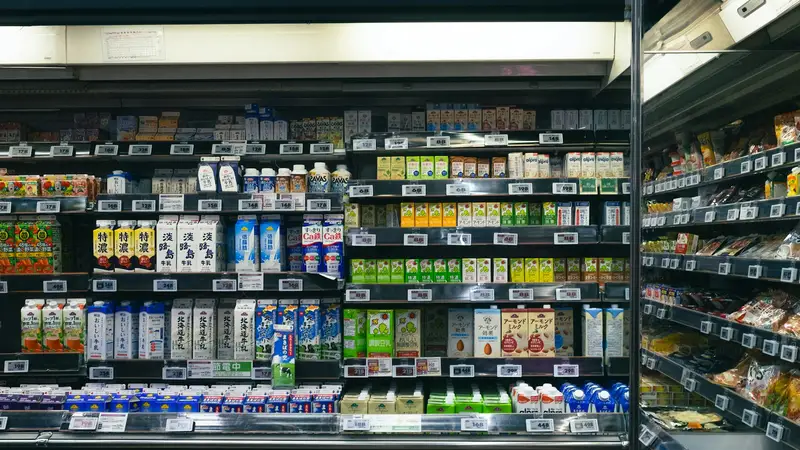
Photo: Rap Dela Rea · Unsplash
The short answer
A supermarket needs billing that scans fast, runs on several counters at once from one stock, applies offers by itself and tracks batch and expiry. Bilzy does this on Windows PCs and Android phones: each counter bills with a barcode scanner and the keyboard, stock is moved by the server so two counters cannot sell the last piece twice, and schemes like buy 10 get 1 free are applied on the bill. The Windows app is ₹999 a year, with no per-bill fee and no charge for staff logins.
Behind the counters, Bilzy handles purchase entry, stock in the store room and on the floor, staff logins and the GST figures your accountant needs.
- Checkout
- Barcode and keyboard
- Offers
- Buy N, get F free
- Stock
- One stock for every counter
- Price
- ₹999 a year, no per-bill fee
A long queue is a customer deciding whether to come back.
Three counters. One stock. No guesswork.
Big-store checkout, without the big-store software bill.
How to set up supermarket billing on Bilzy
- 1
Bring in your item list
Import items from an Excel sheet — name, barcode, MRP, selling price, GST — and choose which column is which. Thousands of items go in without typing them one by one.
- 2
Label what has no barcode
House-packed dal, loose dry fruit and gift packs often have no barcode. Print barcode labels from Bilzy and stick them on.
- 3
Give each cashier a login
Each person bills under their own name and sees only the screens you allow. Purchase cost and profit can stay hidden.
- 4
Set your offers
Put a scheme on an item — buy 10, get 1 free — with an end date. The counter adds the free piece, and stock goes down by what actually left the shop.
- 5
Bill with the scanner
Scan each item, change a quantity from the keyboard, and finish the bill without touching the mouse.
- 6
Take payment
Cash, UPI, card, or cash and UPI together on one bill. Change is worked out from the cash part.
- 7
Close the day
See the day’s sales, cash and UPI in the day book, and match them with the drawer before you lock up.
From the truck to the till
- 1
Goods arrive
Enter the purchase bill with batch and expiry, or read it from a photo.
- 2
Store room
Stock lands in the godown you choose — store room or shop floor.
- 3
Shelf
Move stock to the floor with a real transfer, so both places stay right.
- 4
Checkout
Every counter sells from the same stock, moved by the server.
- 5
Reorder
The low-stock list says what to buy before it runs out.
What a supermarket needs, and how Bilzy covers it
| Need | Why it matters | On Bilzy |
|---|---|---|
| Fast barcode checkout | Queues decide whether people come back | Scanner or phone camera, keyboard-only billing |
| Many counters, one stock | Two counters must not sell the last piece twice | Stock moved by the server for every counter |
| Offers and schemes | Buy-10-get-1 must be right on the bill and the shelf | Schemes with an end date; free goods leave stock |
| Batch and expiry | Old stock first; expired stock never sold | Batch and expiry on the items that need them |
| Store room and floor | Stock sits in two places | Godowns, with transfers that really move stock |
| Staff control | Cashiers should not see margins | Logins that open only the screens you choose |
| GST returns | Figures must match the bills | GSTR-1 and GSTR-3B files built from your bills |
Your supermarket on Bilzy
Your supermarket on Bilzy
- Checkout
- Barcode scanner
- Keyboard-only billing
- Cash, UPI or card
- Offers
- Buy N, get F free
- End date on each offer
- Discount on the bill
- Stock
- One stock, every counter
- Store room and floor
- Low-stock list
- Buying
- Supplier bill from a photo
- Batch and expiry
- What you owe suppliers
- People
- A login for each cashier
- Only screens you allow
- Salary and attendance
- Numbers
- Day book
- Sales and stock reports
- GSTR-1 and 3B files
Speed at the counter is not a luxury. It is the service.
Five things to test before you choose supermarket software
A demo shows the best case. Your counter on a Sunday evening is the real one — test these on it.
Your own scanner, your own items
Bill twenty real items with the scanner you already own, and time it.
Pull the internet cable
The counter must keep billing. Bilzy saves bills on the machine and sends them up when the line is back.
Two counters, last piece
Sell the last unit of an item on two counters at once, and see which software notices.
Three years of cost
Add up licences, yearly charges and per-user fees for three years, not just the first year’s price.
What a cashier can see
Sign in as a cashier. Cost price and profit should not be on that screen.
What it costs to start, side by side
Listed prices for one counter, read off each seller's own page or the marketplace that sells it. Compare what you get for the money, on your own counter.
| Software | Plan | Listed price | Where it is listed |
|---|---|---|---|
| Bilzy | Windows counter, every feature | ₹999 a year · phone + Windows ₹1,299 a year · free plan to start | bilzy.in |
| Vyapar | Desktop plan | about ₹3,400 a year; mobile app free to download | techjockey.com listing |
| Zoho Books | Standard (3 users) | ₹749 a month, billed yearly; free plan up to ₹25 lakh revenue | zoho.com |
| TallyPrime | Silver (single user) | ₹22,500 + GST one-time, then about ₹4,500 a year for TSS; or ₹750 a month rental | erpresearch.com |
Prices as listed on 14 September 2026, before GST where the seller quotes them that way. They change — confirm on each seller's own site. Vyapar, Zoho Books, TallyPrime and Marg ERP are trademarks of their owners; Bilzy is not connected with them.
What Bilzy costs
One price with every feature on it. No per-bill charge, no AMC, no extra charge for staff logins.
Free
₹0to start
Try billing on your own counter first. No card.
Windows
₹999a year
Every feature on the counter PC. Or ₹99 a month.
Phone + Windows
₹1,299a year
One account on the counter PC and your phone.
Questions shopkeepers ask
Can Bilzy run on more than one billing counter?
Yes. Every counter signs in to the same shop and bills from the same stock, which the server moves, so two counters cannot oversell.
Does Bilzy work with a barcode scanner?
Yes. A USB barcode scanner works on the Windows app like a keyboard, and the Android app can scan with the phone camera.
How do buy-10-get-1-free offers work?
Set the scheme on the item, with an end date if the offer is for a limited time. On the bill the free quantity is added by itself, and stock goes down by what actually left the shop.
Can I keep store-room stock separate from the shop floor?
Yes. Switch on godowns, name the store room and the floor, and move stock between them with transfers. Sales take stock from the place you bill from.
Is Bilzy only for small shops?
No. It is priced so a small shop can afford it, and built for a busy one: staff logins with roles, stock in more than one godown, wholesale rates and credit limits, GSTR-1 and GSTR-3B files, and billing that keeps going when the internet does not. The low price is how it is sold — one yearly plan, bought online, with no AMC — not a smaller product.
Does Bilzy work without internet?
Yes. Bills are made and saved on the phone or the PC, and go up to your account when the connection comes back.
Can I use it on my phone and my computer together?
Yes, on one account. Items, parties and bills are the same on both, and stock is moved by the server so two counters cannot sell the same last piece. Phone + Windows is ₹1,299 a year.
Can my staff bill without seeing my profit?
Yes. Each staff login gets only the screens you tick. Purchase cost and profit are their own permission.
Make your next supermarket bill on Bilzy.
Install it on the counter PC or your phone and bill your first customer today. Help on the phone or WhatsApp: 9387029304.
Read next
Kirana store
How to Make a Bill in a Kirana Store — and the Software That Makes It Quick
Loose atta by the kilo, biscuits by barcode, a regular customer on udhaar — all on one bill, while the queue keeps moving.
Clothing store
Clothing Store Billing Software: Sizes, Colours and GST Without the Mix-ups
One design, five sizes, three colours — and a customer who wants to swap a medium for a large next week.

Boutique & saree shop
Boutique and Saree Shop Billing: Orders, Advances and Stitching Charges on One Bill
An order taken in March, an advance in cash, a blouse to stitch, fall and pico to add — and a delivery in May that remembers all of it.
Published 15 September 2026 by Bilzy. Cover photo by Rap Dela Rea on Unsplash, used under the Unsplash licence; the people and places in it are not connected with Bilzy.