Shop billing guide
Hinglish me padho →How to Make a Bill in a Kirana Store — and the Software That Makes It Quick
Loose atta by the kilo, biscuits by barcode, a regular customer on udhaar — all on one bill, while the queue keeps moving.
- Free plan to start
- Works without internet
- 10,000+ bills made on Bilzy
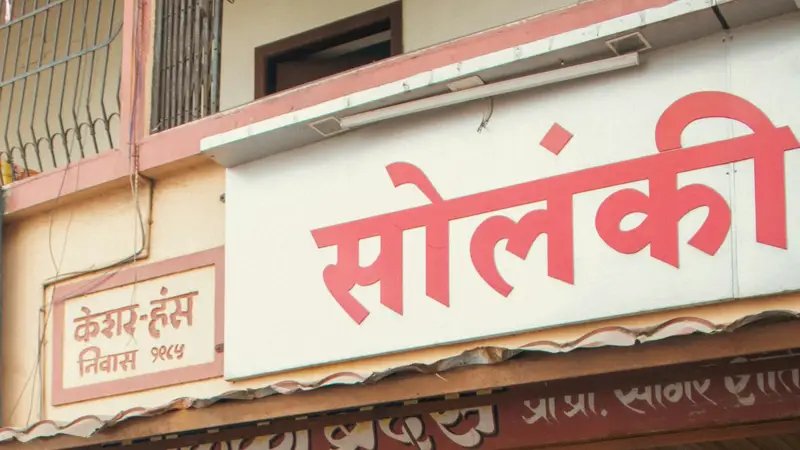
Photo: Zoshua Colah · Unsplash
The short answer
To make a bill in a kirana store, save each item once with its price and GST, then at the counter scan the barcode or type two letters of the name, enter the quantity in pieces or by weight, take cash, UPI or udhaar, and print or WhatsApp the bill. Bilzy does all of this on an Android phone or a Windows PC, keeps working without internet, and costs ₹999 a year for the Windows app, with a free plan to start.
Stock goes down as you sell, every regular customer has a running udhaar account, and the day’s cash, UPI and dues are on one screen when you close.
- Bill on
- Android phone or Windows PC
- Internet
- Not needed to bill
- Sell by
- Piece, pack or weight
- Price
- Free plan · ₹999 a year
The shop opens at seven. Your billing should be ready at 6:59.
Every rupee of udhaar should have a name, a date and a bill.
A kirana is a business. Run it with a business’s tools.
A day at a kirana counter, on Bilzy
Five things happen every day in every kirana. On Bilzy each one feeds the next, so nothing is written twice.
- 1
Stock comes in
Enter the supplier’s bill, or read it from a photo. Stock goes up by itself.
- 2
Customer buys
Scan the barcode or type the name. Loose items by weight.
- 3
Money is taken
Cash, UPI, both together, or udhaar on the customer’s name.
- 4
Bill goes out
Printed on a thermal roll or sent on WhatsApp.
- 5
Day closes
Sales, cash, UPI and dues for the day, in one place.
How to make a kirana bill on Bilzy, step by step
Setting up takes one sitting. After that, most bills are a handful of keystrokes.
- 1
Install Bilzy and add your shop
Download Bilzy on the counter PC or your Android phone. Enter the shop name, address, phone and GSTIN if you have one — they print on every bill.
- 2
Put your items in once
Type items in, or bring your whole list from an Excel sheet and choose which column is the name, the price and the GST. Set each item’s selling price, MRP and GST rate once.
- 3
Set up loose and pack items
Sell atta, rice and dal by weight — 0.5 for half a kilo, 1.25 for a kilo and a quarter. For packs, set how many pieces are in a box, so one piece can be sold out of it.
- 4
Start the bill
Scan the barcode with a scanner or the phone camera, or type two letters of the name and pick the item. Change the quantity if you need to.
- 5
Add the customer when it matters
For a walk-in customer, skip this. For a regular, pick their name — Bilzy shows what they already owe before you add more.
- 6
Take the money
Choose cash, UPI or udhaar. If they pay part in cash and part by UPI, enter both. For UPI, the customer can scan the QR code on the bill.
- 7
Print or send the bill
Print on a 58 mm or 80 mm thermal printer, or send the bill as a PDF on WhatsApp.
GST on common kirana items
Most of a kirana’s shelf sits in the lowest GST rates since the changes of September 2025. Set the rate on each item once and every bill charges it correctly.
| Item | GST | Good to know |
|---|---|---|
| Fresh milk, UHT milk, paneer | 0% | Nil rated |
| Bread, roti, chapati | 0% | Nil rated |
| Fresh fruit and vegetables | 0% | When not processed |
| Rice, atta, dal | 0% loose · 5% pre-packed and labelled | Depends on how it is packed |
| Butter, ghee, cheese | 5% | Was 12% before September 2025 |
| Packaged namkeen and bhujia | 5% | Was 12% |
| Biscuits, cakes, chocolates | 5% | Was 18% |
| Shampoo, hair oil, toothpaste, soap bars | 5% | Was 18% |
Rates as they stand after the GST Council changes that took effect on 22 September 2025. The rate follows the exact HSN code and, for some goods, the price — check yours on cbic-gst.gov.in before you bill.
Your kirana on Bilzy, in one picture
Your kirana on Bilzy
- Billing
- Barcode or name search
- Loose items by weight
- Thermal or WhatsApp bill
- Stock
- Moves with every bill
- Low-stock list
- Supplier bill from a photo
- Money
- Cash, UPI or both
- UPI QR on the bill
- The day’s cash and UPI
- Udhaar
- Account for each customer
- Bill-wise collection
- Statement to send
- GST
- Rate saved on each item
- CGST and SGST worked out
- GSTR-1 and 3B files
- Staff
- A login for each person
- Only screens you allow
- Profit stays private
The big supermarket and the kirana on the corner sell the same biscuits. They deserve the same quality of software.
Udhaar without the headache
Most kiranas run on trust. A family buys all month and settles on the first. The trouble is never the trust — it is the notebook: a torn page, a smudged figure, an entry nobody remembers making.
On Bilzy, an unpaid bill goes on the customer’s name with its date. When they pay, settle a particular bill or take a lump sum against the account. Send a statement before the first of the month, and the talk at the counter stays short and friendly.
- See who owes what, with the oldest dues first
- Take part-payments in cash, UPI or both
- Set a credit limit, so you are warned before a customer’s dues run too high
Notebook, Excel sheet or billing software?
| Notebook | Excel sheet | Bilzy | |
|---|---|---|---|
| Making a bill | Write and add by hand | Type every line | Scan, or type two letters |
| Stock | A guess | Updated by hand | Moves with every bill |
| Udhaar | Pages and memory | A sheet per customer | Account per customer, with statements |
| GST | Worked out later | Formulas that break | Worked out on every bill |
| If the book or PC is lost | Gone | Gone, unless backed up | Safe in your account |
| Without internet | Works | Works | Works |
Kirana habits that pay for the software
Use the barcode already printed
Most packets carry a barcode. Scan it once when you add the item, and every bill after that is a scan.
Give fast movers easy names
Your twenty best-selling items should be found with two letters. Short names make a fast counter.
Count one shelf a week
Match one shelf with Bilzy every Sunday. In three months the whole shop is counted, without closing a day.
Enter every supplier bill
Your stock and your profit are only as right as your purchases. A photo of the bill is enough to start.
Watch the low-stock list
Order before an item runs out, not after a customer asks for it and walks to the next shop.
Close the day properly
Match the cash in the drawer with the day’s cash sales before you lock up. Small gaps found today stay small.
What it costs to start, side by side
Listed prices for one counter, read off each seller's own page or the marketplace that sells it. Compare what you get for the money, on your own counter.
| Software | Plan | Listed price | Where it is listed |
|---|---|---|---|
| Bilzy | Windows counter, every feature | ₹999 a year · phone + Windows ₹1,299 a year · free plan to start | bilzy.in |
| Vyapar | Desktop plan | about ₹3,400 a year; mobile app free to download | techjockey.com listing |
| Zoho Books | Standard (3 users) | ₹749 a month, billed yearly; free plan up to ₹25 lakh revenue | zoho.com |
| TallyPrime | Silver (single user) | ₹22,500 + GST one-time, then about ₹4,500 a year for TSS; or ₹750 a month rental | erpresearch.com |
Prices as listed on 14 September 2026, before GST where the seller quotes them that way. They change — confirm on each seller's own site. Vyapar, Zoho Books, TallyPrime and Marg ERP are trademarks of their owners; Bilzy is not connected with them.
What Bilzy costs
One price with every feature on it. No per-bill charge, no AMC, no extra charge for staff logins.
Free
₹0to start
Try billing on your own counter first. No card.
Windows
₹999a year
Every feature on the counter PC. Or ₹99 a month.
Phone + Windows
₹1,299a year
One account on the counter PC and your phone.
Questions shopkeepers ask
What is the best billing software for a kirana store?
The best one is the one your counter can use all day without slowing the queue. Look for barcode and name search, selling by weight, udhaar accounts, UPI, and billing that works without internet. Bilzy does all of these on Android and Windows for ₹999 a year, and you can try it free first.
Can I make a kirana bill on my mobile?
Yes. The Bilzy Android app makes the full bill — items, GST, udhaar and UPI — and sends it on WhatsApp or prints it on a Bluetooth thermal printer.
How do I bill loose items like atta and dal?
Sell them by weight. Enter 0.5 for half a kilo or 1.25 for a kilo and a quarter, and Bilzy works out the price from the rate per kilo.
Which printer should a kirana store buy?
A 58 mm or 80 mm thermal printer is enough for most kiranas. 80 mm prints a wider bill that is easier to read; 58 mm is smaller and cheaper to run. Bilzy prints on both.
Is Bilzy only for small shops?
No. It is priced so a small shop can afford it, and built for a busy one: staff logins with roles, stock in more than one godown, wholesale rates and credit limits, GSTR-1 and GSTR-3B files, and billing that keeps going when the internet does not. The low price is how it is sold — one yearly plan, bought online, with no AMC — not a smaller product.
Does Bilzy work without internet?
Yes. Bills are made and saved on the phone or the PC, and go up to your account when the connection comes back.
Can I use it on my phone and my computer together?
Yes, on one account. Items, parties and bills are the same on both, and stock is moved by the server so two counters cannot sell the same last piece. Phone + Windows is ₹1,299 a year.
Can my staff bill without seeing my profit?
Yes. Each staff login gets only the screens you tick. Purchase cost and profit are their own permission.
Make your next kirana store bill on Bilzy.
Install it on the counter PC or your phone and bill your first customer today. Help on the phone or WhatsApp: 9387029304.
Read next
Supermarket
Supermarket Billing Software: Fast Checkout on Every Counter, One Stock Behind Them
Three counters, a weekend rush and a buy-ten-get-one offer — without a single item sold twice.
Clothing store
Clothing Store Billing Software: Sizes, Colours and GST Without the Mix-ups
One design, five sizes, three colours — and a customer who wants to swap a medium for a large next week.

Boutique & saree shop
Boutique and Saree Shop Billing: Orders, Advances and Stitching Charges on One Bill
An order taken in March, an advance in cash, a blouse to stitch, fall and pico to add — and a delivery in May that remembers all of it.
Published 15 September 2026 by Bilzy. Cover photo by Zoshua Colah on Unsplash, used under the Unsplash licence; the people and places in it are not connected with Bilzy.