Shop billing guide
Hinglish me padho →Mobile Shop Billing Software: IMEI on Every Bill, Warranty on Every Phone
A phone comes back after eight months with a dead screen. Who sold it, when, from which supplier, and is it still in warranty? That answer should take ten seconds.
- Free plan to start
- Works without internet
- 10,000+ bills made on Bilzy
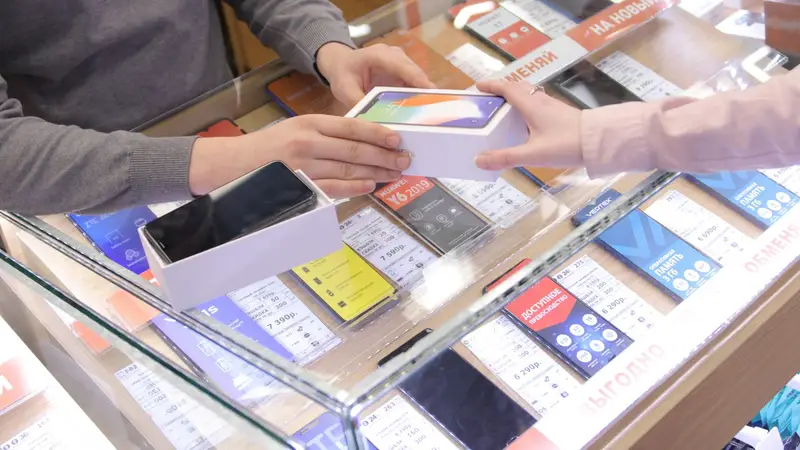
Photo: NSYS Group · Unsplash
The short answer
Mobile shop billing needs the IMEI recorded when a phone is bought from the distributor and again when it is sold, so any phone can be traced later. Bilzy does this: IMEI and serial numbers go on the purchase and on the bill, scanning an IMEI finds that exact unit, the bill prints the warranty months and the date they end, and a warranty card can be printed for the customer. Claims are kept in a register. It runs on Windows and Android, from ₹999 a year.
Accessories — covers, chargers, earphones — bill by barcode like any shop item, and repairs are billed as a service that never touches stock.
- IMEI
- On purchase and sale
- Warranty
- Card, end date, claims
- Repairs
- Billed as services
- Price
- Free plan · ₹999 a year
A phone is sold once. Its IMEI is asked about for years.
Trace any phone in seconds — from the distributor to the customer.
A warranty kept on record is a customer kept for life.
The life of one phone in your shop
- 1
Bought
Entered from the distributor’s bill, with its IMEI.
- 2
On the shelf
That exact unit waits in stock, known by its IMEI.
- 3
Sold
Scan the IMEI; the unit goes on the bill with its warranty.
- 4
Card handed over
A warranty card with the date it is valid till.
- 5
Comes back
Search the IMEI: purchase, sale and every claim together.
How to bill a phone with its IMEI on Bilzy
- 1
Switch on IMEI and warranty
In item settings, turn on serial / IMEI tracking and warranty for the items that need them.
- 2
Enter the purchase with IMEIs
When stock comes from the distributor, scan or type each phone’s IMEI on the purchase, so every unit is known from the first day.
- 3
Scan the IMEI at the counter
Scan or type the IMEI. Bilzy finds that exact unit and puts it on the bill.
- 4
Check the warranty
The item’s warranty months fill in by themselves, and the bill prints the date the warranty ends.
- 5
Take payment
Cash, UPI, card, or cash and UPI together.
- 6
Print the bill and the warranty card
Print the bill, then the warranty card with the IMEI, the purchase date and the date it is valid till.
- 7
Open a claim when it comes back
Find the phone by its IMEI and open a claim: the problem, whether it was repaired, replaced or refunded, and what it cost.
What to record for every phone
| Record | When | Why it matters |
|---|---|---|
| IMEI or serial number | On purchase and on sale | Proves which unit was sold, and to whom |
| Distributor and purchase bill | On purchase | Tells you where a faulty unit goes back |
| Warranty months and end date | On the bill | Settles “is it still in warranty?” at once |
| Customer name and phone | On the bill | Lets you reach them and find their bill later |
| Claim, resolution and cost | When a phone comes back | Shows what warranty work really costs you |
GST in a mobile shop
| Item or service | GST |
|---|---|
| Mobile phones | 18% |
| Most accessories — chargers, earphones, covers | 18% |
| Repair and service work | 18% |
Rates as they stand after the GST Council changes that took effect on 22 September 2025. The rate follows the exact HSN code and, for some goods, the price — check yours on cbic-gst.gov.in before you bill.
A mobile shop on Bilzy
Your mobile shop on Bilzy
- IMEI
- On every purchase
- On every bill
- Scan finds the unit
- Warranty
- Months on the item
- End date on the bill
- Card for the customer
- Claims
- Claim register
- Repair, replace or refund
- Cost on record
- Trace
- Search by IMEI
- Purchase and sale
- Every claim on it
- Accessories
- Barcode billing
- Low-stock list
- Schemes and offers
- Repairs
- Billed as a service
- Never touches stock
- On the same bill
In a mobile shop, trust is a record you can pull up in front of the customer.
Habits of a well-run mobile shop
No phone leaves without its IMEI on the bill
It protects you as much as the customer when something goes wrong.
Scan, do not type
A fifteen-digit number typed by hand is a mistake waiting to happen. Scan it.
A warranty card every time
A customer holding your card comes back to you for service, not to the shop next door.
Close claims every week
A claim left open is a customer still waiting for an answer.
Keep accessories moving
Covers and chargers carry the margin. Keep them in stock and on offer.
Bill the repairs
A repair billed as a service is income on record, not loose cash in a drawer.
What it costs to start, side by side
Listed prices for one counter, read off each seller's own page or the marketplace that sells it. Compare what you get for the money, on your own counter.
| Software | Plan | Listed price | Where it is listed |
|---|---|---|---|
| Bilzy | Windows counter, every feature | ₹999 a year · phone + Windows ₹1,299 a year · free plan to start | bilzy.in |
| Vyapar | Desktop plan | about ₹3,400 a year; mobile app free to download | techjockey.com listing |
| Zoho Books | Standard (3 users) | ₹749 a month, billed yearly; free plan up to ₹25 lakh revenue | zoho.com |
| TallyPrime | Silver (single user) | ₹22,500 + GST one-time, then about ₹4,500 a year for TSS; or ₹750 a month rental | erpresearch.com |
Prices as listed on 14 September 2026, before GST where the seller quotes them that way. They change — confirm on each seller's own site. Vyapar, Zoho Books, TallyPrime and Marg ERP are trademarks of their owners; Bilzy is not connected with them.
What Bilzy costs
One price with every feature on it. No per-bill charge, no AMC, no extra charge for staff logins.
Free
₹0to start
Try billing on your own counter first. No card.
Windows
₹999a year
Every feature on the counter PC. Or ₹99 a month.
Phone + Windows
₹1,299a year
One account on the counter PC and your phone.
Questions shopkeepers ask
Which billing software tracks IMEI numbers?
Bilzy records the IMEI or serial number on the purchase and on the bill, finds a unit when you scan its IMEI, and traces any IMEI back to its purchase, its sale and its warranty claims. It runs on Windows and Android.
Can I print a warranty card?
Yes. Bilzy prints a warranty card with the product, its IMEI or serial number, the purchase date and the date the warranty ends.
How do I bill a repair?
Add the repair as a service item. It goes on the bill like any item, carries its GST, and never touches stock.
Is Bilzy only for small shops?
No. It is priced so a small shop can afford it, and built for a busy one: staff logins with roles, stock in more than one godown, wholesale rates and credit limits, GSTR-1 and GSTR-3B files, and billing that keeps going when the internet does not. The low price is how it is sold — one yearly plan, bought online, with no AMC — not a smaller product.
Does Bilzy work without internet?
Yes. Bills are made and saved on the phone or the PC, and go up to your account when the connection comes back.
Can I use it on my phone and my computer together?
Yes, on one account. Items, parties and bills are the same on both, and stock is moved by the server so two counters cannot sell the same last piece. Phone + Windows is ₹1,299 a year.
Can my staff bill without seeing my profit?
Yes. Each staff login gets only the screens you tick. Purchase cost and profit are their own permission.
Make your next mobile phone shop bill on Bilzy.
Install it on the counter PC or your phone and bill your first customer today. Help on the phone or WhatsApp: 9387029304.
Read next

Electronics & appliances shop
Electronics and Appliance Shop Billing: Serial Numbers, Warranties and Deliveries, Sorted
An AC sold in April, delivered in May, and back with a complaint in August. Serial number, warranty date and delivery challan should be one search away.
Hardware & paint shop
Hardware and Paint Shop Billing: Thousands of Items, Loose Pieces and Contractor Credit
Screws by the piece and by the box, paint by the tin, a plumber on credit, and a rack nobody remembers — a hardware counter is the hardest counter in the market.
Supermarket
Supermarket Billing Software: Fast Checkout on Every Counter, One Stock Behind Them
Three counters, a weekend rush and a buy-ten-get-one offer — without a single item sold twice.
Published 15 September 2026 by Bilzy. Cover photo by NSYS Group on Unsplash, used under the Unsplash licence; the people and places in it are not connected with Bilzy.